Best IPTV Provider in the USA: Your Search Ends Here!
Fast • Reliable • Unlimited
Best IPTV Provider in the USA: Your Search Ends Here!
Fast • Reliable • Unlimited
Install IBO Player Pro, send us two codes, and start watching. It takes about two minutes on any device, and our team is on WhatsApp 24/7 if you get stuck.
Free IBO Player Pro activation with every paid plan
A fast player with a built-in TV guide and quick channel switching. It runs on Firestick, Android, Samsung and LG Smart TVs, Apple devices, Roku and Windows.
Want more detail and troubleshooting? Read our full guide: How to install IPTV on Firestick
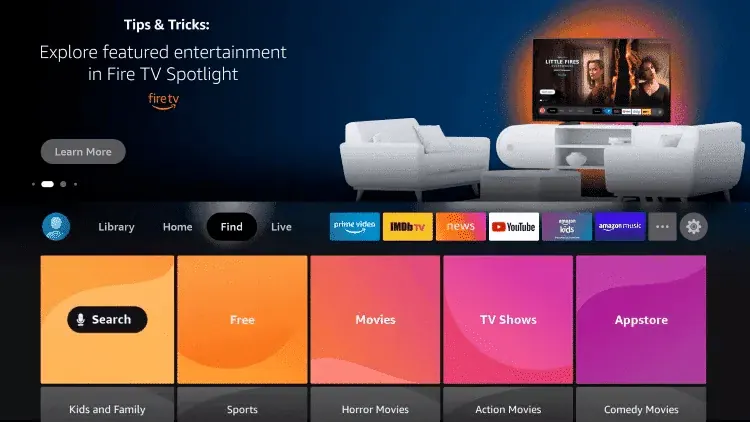
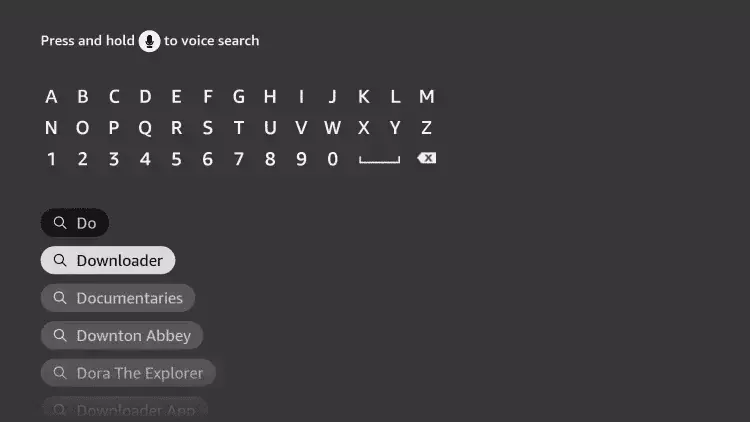
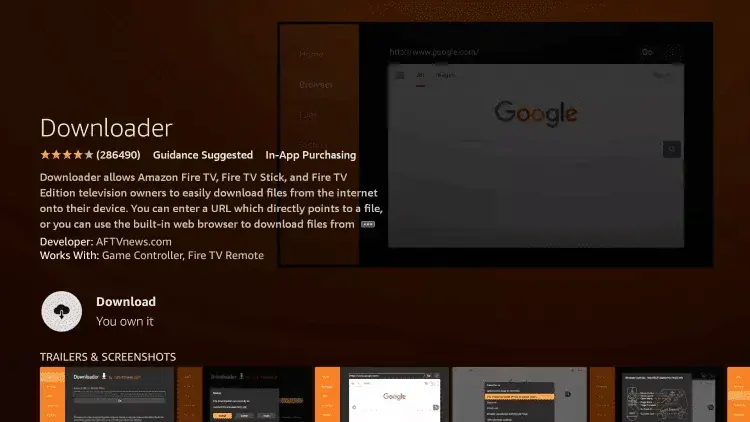
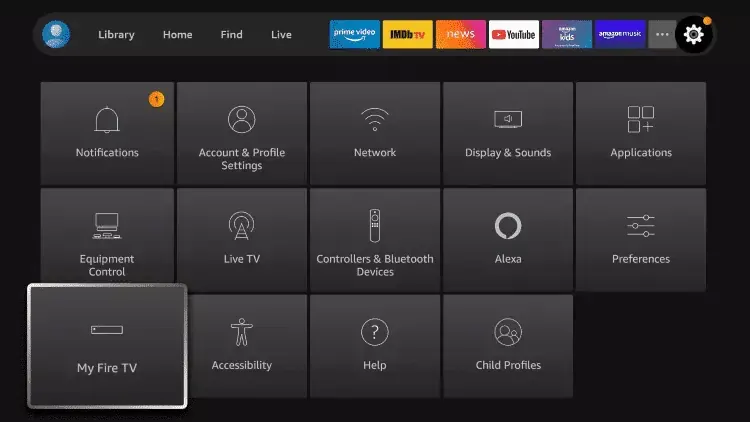
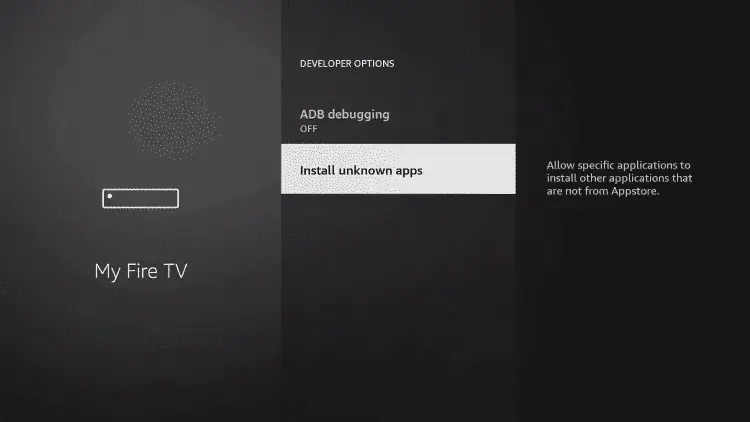
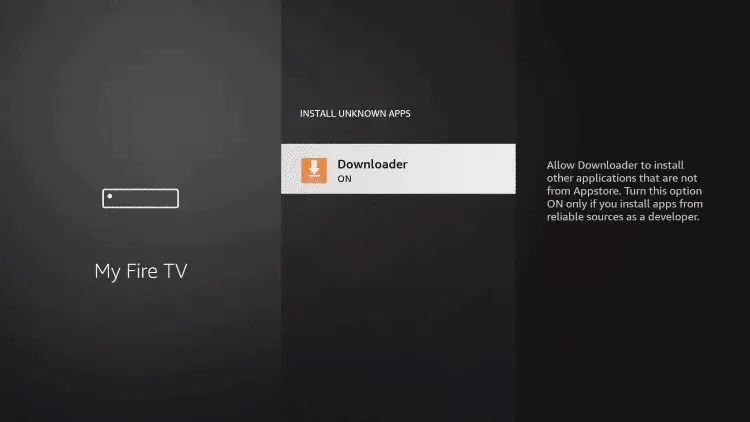
Don’t see Developer options? Go to Settings → My Fire TV → About, and click your device name 7 times. Developer options then appears.
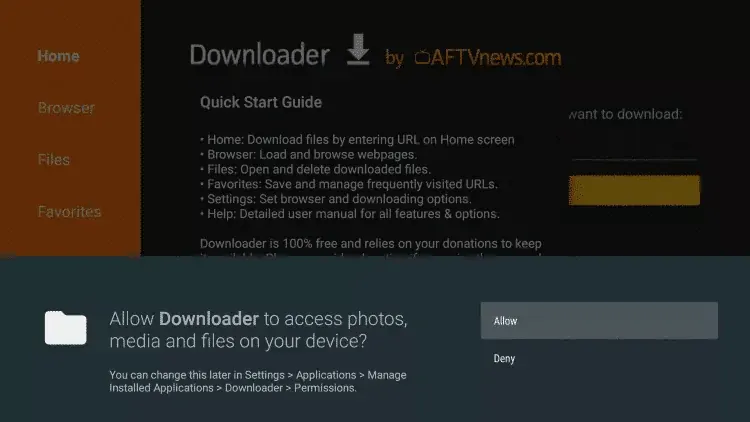
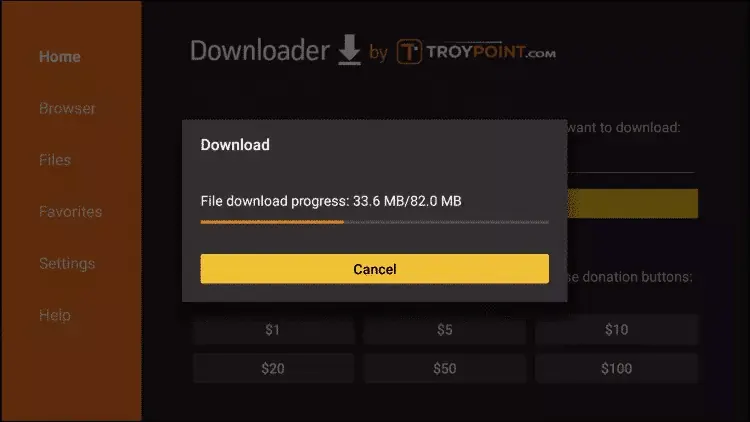
Another Smart TV brand? Many TVs on Android TV or Google TV (Sony, TCL, Hisense, Philips) use the .
On a Mac? Message us on WhatsApp and we’ll send you the login details for a player that works on macOS.
MAG boxes don’t use an app. Instead, they connect to a portal that we set up for your box.
Type the two codes from IBO Player Pro’s main screen. WhatsApp opens with them in a message ready to send, and we activate your playlist within minutes.
MAG box? Just enter the MAC address and leave the device key empty.
Open IBO Player Pro. Both codes are shown on the app’s main screen, usually at the bottom or on the playlist screen. The MAC address looks like 3C:4F:12:AB:90:7E and the device key is a short number.
IBO Player Pro is normally a paid app, but activation is included free with every IPTV US plan. Just send us your MAC address and device key, and we take care of the rest. Activation isn’t included with the free trial, but the app has its own free 7-day trial on every device.
Press Reload in the app, or close and reopen it. If nothing changes after 10 minutes, check that the MAC address you sent matches the one on screen exactly, then message us on WhatsApp.
Some older Smart TV models don’t list it. If your TV runs Android TV or Google TV, use the Downloader code 481220 instead. Otherwise, message us on WhatsApp with your TV brand and model, and we’ll send you login details for a player that works on it.
Yes. Each device has its own MAC address, so send us the codes for each one. The number of devices that can watch at the same time depends on your plan.
Yes. Our service works with any IPTV player app; we simply recommend IBO Player Pro. Message us on WhatsApp with the app you use and we’ll send you login details for it.
See the best IPTV player apps →Usually 5 to 10 minutes after you send your codes. Our team is available 24/7.
Our team will walk you through it on WhatsApp, on any device.
